
Clipsharing
The first&only app allows you to sync clipboard between iOS⇄Windows seamlessly.
真正无缝的iOS⇄Windows剪贴板同步工具
 Windows
 iOS
iOS

Different types, same effortless experience.
不同类型,同样轻松

Text
文字

Picture
图片
File
文件
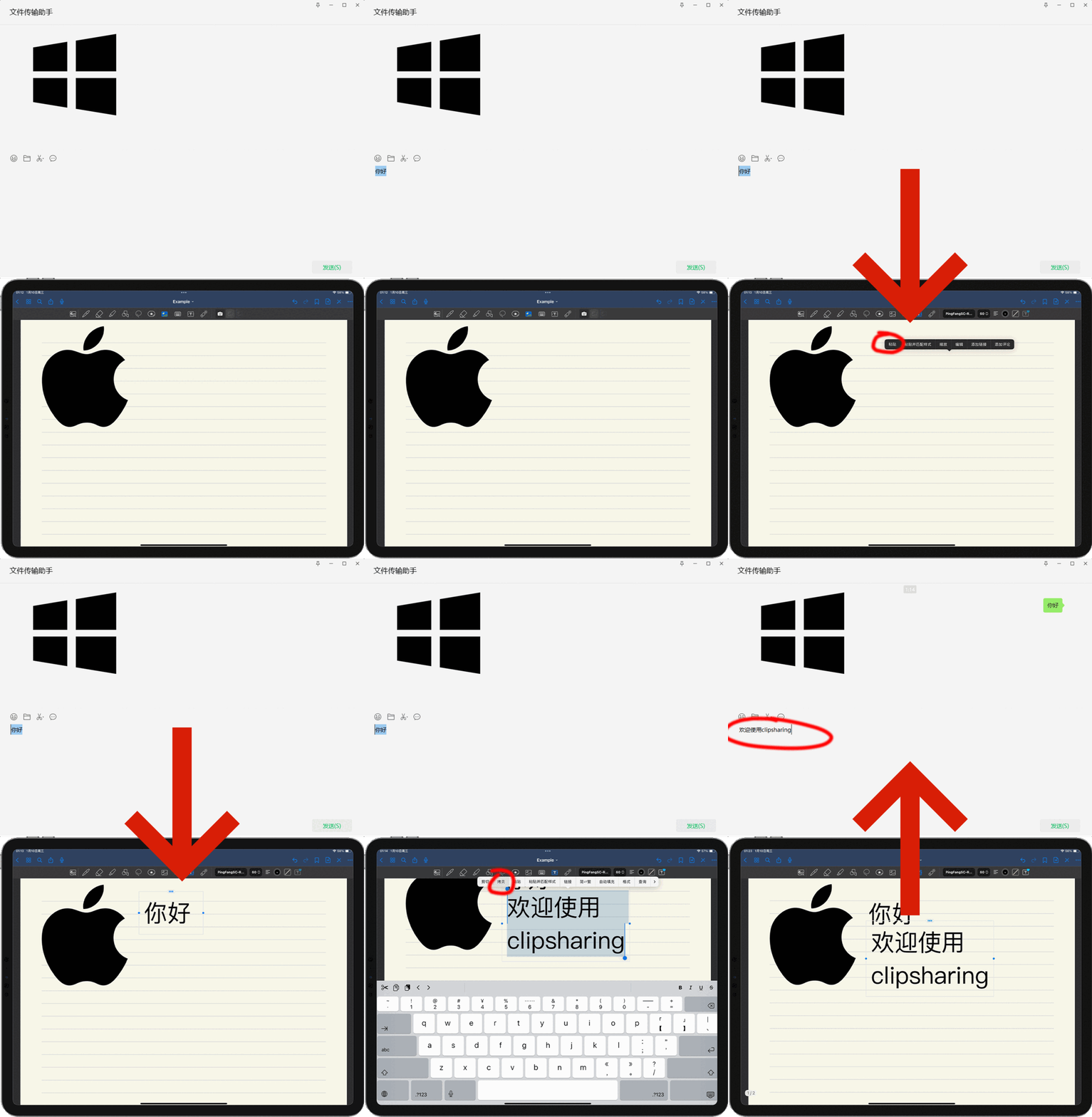
• Seamless Text Transfer:
Copy text on iOS or Windows, and instantly paste it on the other side.
• 文字无界:
在iOS或Windows中拷贝一段文本,即刻就能在另一端粘贴。
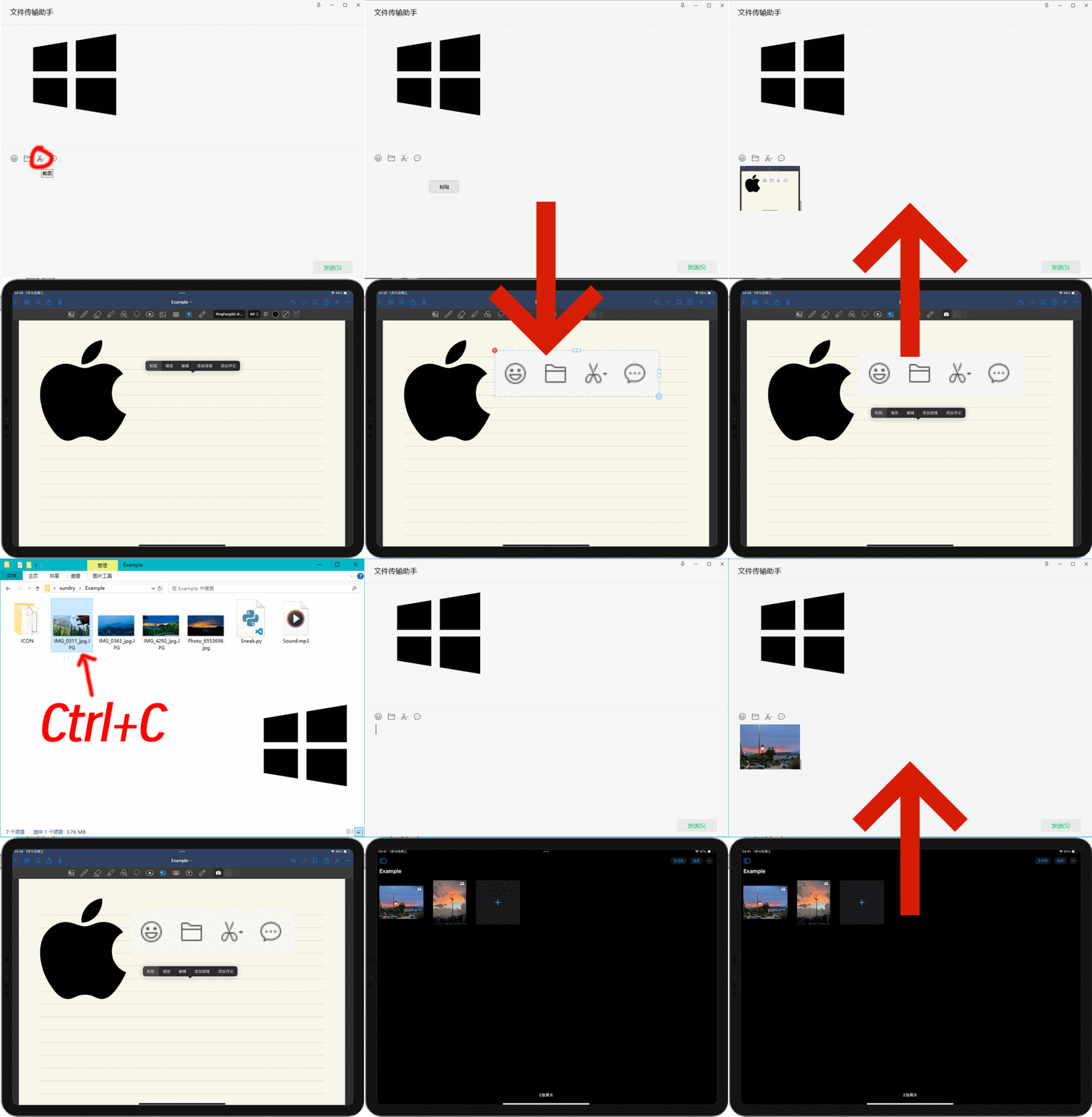
• Images Shuttle:
Take a screenshot or copy an image on Windows, and instantly paste it on iOS to share with friends or save in your notes.
Likely, copy a screenshot or photo on iOS, then it appears on Windows with ‘Ctrl+V’.
(Supports most image formats; due to Windows constraints, images with transparency can be transferred from Windows to iOS only, not the other way around).
• 图像随意穿梭:
在Windows中截图或复制一张图片,立刻能在iOS中粘贴,发送给朋友或保存到笔记中。
在iOS中截图,或拷贝一张照片,在Windows中按下"Ctrl+V"图片就会出现。
(支持绝大多数图片格式;由于Windows限制,带透明度的照片只能由Windows传到iOS,反之无法传输。)
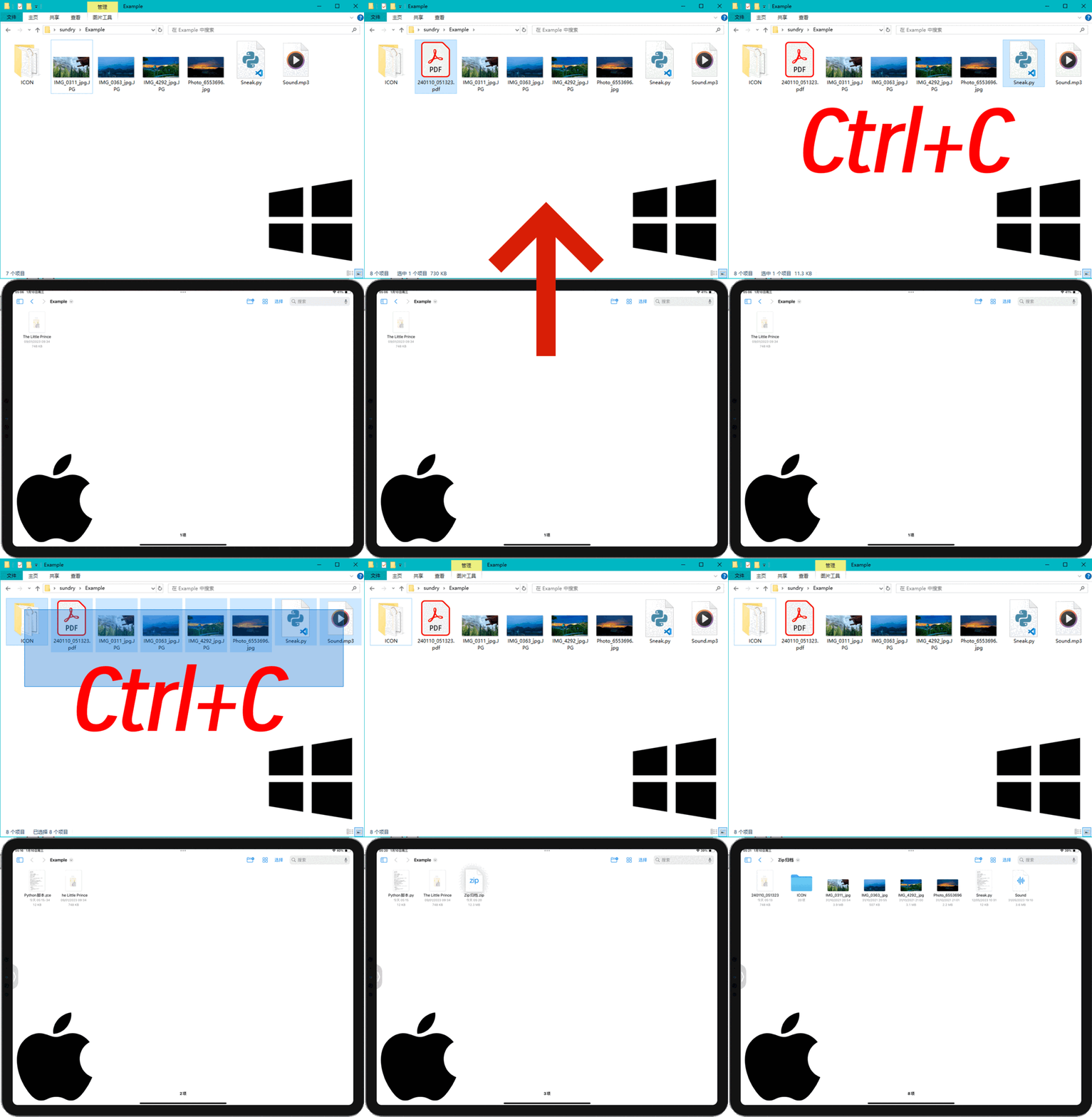
• File Transfer in a Flash:
Copy a single file on Windows and instantly paste it on iOS.
When copying multiple files, they’re sent to iOS as a ZIP archive.
iOS allows copying a single file to Windows once. (Some files with rare suffix may not transfer properly).
• 文件秒传:
在Windows中复制单个文件,即刻可在iOS中粘贴。
复制多个文件时,将会以ZIP压缩包形式发送到iOS。
iOS支持拷贝单个文件到Windows。(部份罕见文件格式可能无法正常传输)